

We'll discuss your goals, current challenges, and how our process can help to drive real business growth.
YouTube
YouTube Shorts Thumbnail Size: Examples, Best Practices (2026)
Pritesh Jagtap
April 15, 2026
5 min
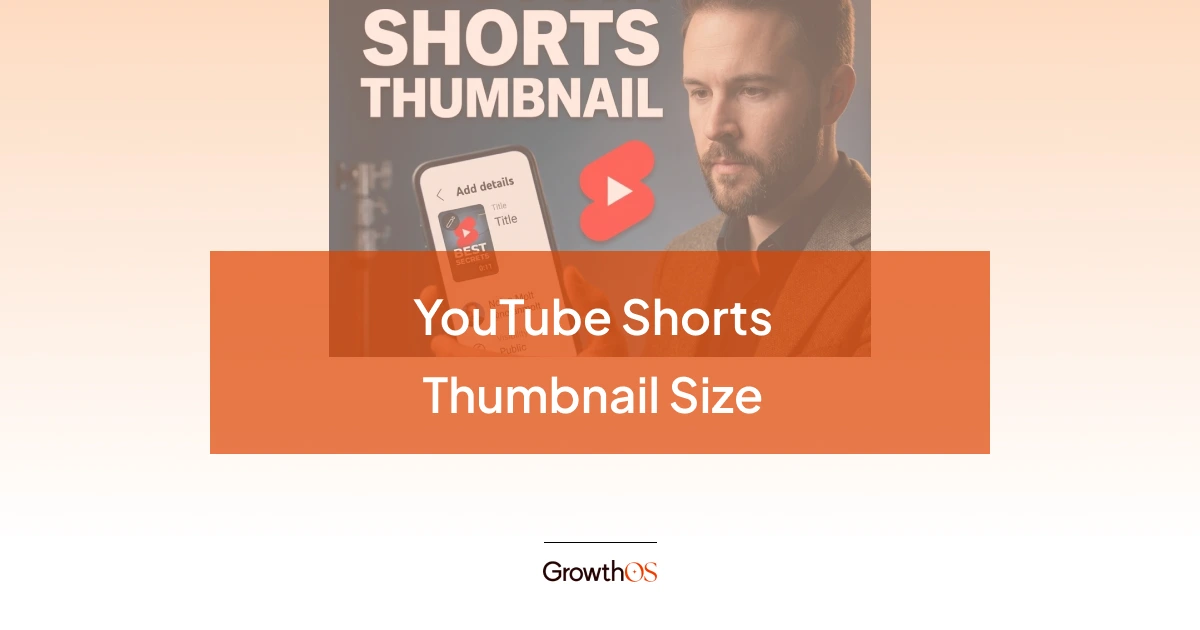
TABLE OF CONTENTS
The recommended YouTube Shorts thumbnail size is 1280x720 pixels (16:9 aspect ratio), under 2 MB, in JPG or PNG format. Yes, it is horizontal even though Shorts are vertical. YouTube uses this 16:9 image for search results, the home feed, and your channel page.
The key best practices: use one focal point (a face or bold text, not both competing for attention), design at 3 to 5 words maximum in a bold sans-serif font, test at mobile size before publishing, and understand where Shorts thumbnails actually appear so you design for the right context.
This article covers the exact specs, the 2026 platform updates that make Shorts thumbnails more important than ever, and the design approaches that consistently drive clicks.
The Exact YouTube Shorts Thumbnail Specs
Here is what YouTube requires for Shorts thumbnails. These specs match long-form video thumbnails because YouTube displays them in the same 16:9 containers across search, home feed, and channel pages.
A common point of confusion: some guides recommend 1080x1920 pixels (9:16) for Shorts thumbnails, matching the vertical video format.
That is the correct size for the video itself, not the thumbnail. YouTube’s thumbnail system uses 16:9 containers. If you upload a 9:16 image as a custom thumbnail for a long-form video and apply it to a Short, YouTube will crop it. Stick with 1280x720 for the thumbnail image.
For context, 1280x720 pixels translates to roughly 4.44 x 2.50 inches at 288 PPI, or 11.29 x 6.35 cm. If you are working in Photoshop, set your canvas to 1280x720 at 72 PPI, which is standard for screen resolution.
Where Do Shorts Thumbnails Actually Show Up?
This is the most important distinction that competing guides either skip or bury. Understanding where your thumbnail is visible determines how you should design it.
Where your Shorts thumbnail is visible: YouTube search results, the YouTube home feed, your channel page (Shorts shelf), Google search results, Google AI Overviews, external embeds, and shared links.
Where your Shorts thumbnail is NOT visible: The Shorts swipe feed. When someone is swiping through Shorts, videos auto-play. The thumbnail never appears.
This means Shorts thumbnails are a search and discovery asset, not a feed asset. They earn clicks from people who find your content through search, recommendations, or your channel page. According to Mediacube, Shorts with custom thumbnails containing readable text had 85% higher CTR in YouTube search results compared to those using auto-generated frames.
For creators using Shorts as a funnel to drive viewers into long-form content, the thumbnail is what starts that chain. It earns the initial click from search or the home feed. Once the viewer watches and enjoys the Short, end screens and pinned comments drive them to the full-length video.
What Changed for Shorts Thumbnails in 2025 and 2026
Three platform updates have made Shorts thumbnails significantly more important.
Custom Thumbnail Editing During Upload
YouTube now lets you select a frame from your Short and add text, filters, and overlays directly in the upload flow. Previously, you were stuck with whatever frame YouTube auto-selected. This is available via YouTube Studio on desktop, and frame selection is available in the mobile app.
Note: YouTube’s official documentation still states you cannot upload a fully custom image for Shorts the way you can for long-form videos. You can select a frame and customize it, but uploading a standalone designed thumbnail requires a workaround (adding the image as a frame in your video before upload).
Search Filtering for Shorts
As of January 2026, YouTube lets viewers specifically include or exclude Shorts from search results. When someone actively searches and chooses to see Shorts, your thumbnail competes head-to-head with other Shorts thumbnails for the click. It is no longer just about auto-play.
Title and Thumbnail A/B Testing Does Not Apply to Shorts
YouTube’s Test & Compare feature still does not support Shorts. You cannot split-test thumbnail variations the way you can for long-form videos. That means your Shorts thumbnail needs to be right on the first upload.
YouTube Shorts Thumbnail Best Practices That Drive Clicks
The design principles for Shorts thumbnails overlap with long-form, but the constraints are tighter because the image renders even smaller on most surfaces.
One Face, One Emotion, One Message
The Shorts thumbnail is small. It can handle exactly one focal point. A face showing a strong expression plus a few words of text is the formula that consistently performs. Do not try to fit multiple people, product shots, and a paragraph into an image that will render at 320x180 pixels on most phones.
According to research shared by TubeBuddy, thumbnails featuring faces with clear emotions create a direct connection with viewers and consistently outperform graphics-only or text-only alternatives.
Text: 3 to 5 Words Maximum
This matters even more for Shorts than long-form because the thumbnail renders smaller on most surfaces. At 320x180 pixels, every extra word shrinks your font size into illegibility. Use bold, sans-serif fonts (Montserrat Bold, Bebas Neue, Anton, or Impact) at 75px or larger in your design file. Thin fonts disappear at mobile thumbnail size.
The text should not repeat your title. If your Short is titled "5 ways to fix your YouTube CTR," the thumbnail text should be something like "FIX YOUR CTR." Three words, large font, instant understanding.
High Contrast Is Non-Negotiable
Dark background with white or yellow text. Or bright background with dark text. Always add a text outline or drop shadow. At the sizes Shorts thumbnails display, low-contrast combinations become an unreadable blur. Creators like MrBeast and Ali Abdaal follow this principle on both long-form and Shorts: bold colors, high contrast, maximum readability at any size.
Design for the Center, Not the Edges
YouTube crops Shorts thumbnails differently across devices. Keep all important elements (text, faces, key visuals) in the center and top portion of the frame. The edges are the danger zone. On mobile, YouTube’s UI elements (like, share, and title overlays) can obscure the bottom portion of the thumbnail.
Pro Tip: Before publishing, preview your thumbnail at roughly the size of a postage stamp. If you cannot read the text or identify the emotion at that size, it will not work on mobile. This single check catches most Shorts thumbnail failures before they go live.
Three Shorts Thumbnail Formats That Work
The "big text, big emotion" approach
One face with an exaggerated expression, 2 to 3 words in a bold sans-serif font, high-contrast background. This is the most common format among top Shorts creators because it communicates the video’s hook in under a second.
The "context frame" approach
Instead of designing a custom graphic, pick the single most compelling still frame from the video. No text, no overlay. Just the most interesting visual moment. This works when the frame alone tells the story. Works well for creators whose content is visually driven.
The "clean text overlay" approach
A solid-color or slightly blurred background with centered, large text that states the Short’s hook. No face, no clutter. This works for informational and how-to Shorts where the value proposition is the concept, not the creator’s expression.
The pattern across all three: simplicity. One focal element. Maximum readability. Zero clutter.
If you want thumbnails designed as part of a complete YouTube growth system, for both Shorts and long-form, that is what we do at GrowthOS. Book a discovery call or explore our thumbnail design services.

Pritesh Jagtap
Founder
Pritesh Jagtap is the founder of GrowthOS, where he helps startups and creators scale through growth systems, content, and SEO/ GEO strategies. With a background spanning growth, marketing, and operations, he’s passionate about building frameworks that drive sustainable results. Beyond GrowthOS, he experiments with creative projects, explores moutains trails and be around offline communities.

More insights
Get Growth Insights Delivered to Your Inbox
Join B2B marketers getting weekly strategy breakdowns on SEO, AI search, PPC, and YouTube—straight talk, no generic advice.
Oops! Something went wrong while submitting the form.




.svg)