

We'll discuss your goals, current challenges, and how our process can help to drive real business growth.
YouTube
How to Increase Views on YouTube Shorts (What Actually Works in 2026)
Rutvik Shirude
March 24, 2026
5 min
TABLE OF CONTENTS
The most effective ways to increase views on YouTube Shorts in 2026 start with structure. Create a looping structure so the ending feeds into the beginning. That matters because replays are a top algorithm signal. Also, use each Short as a discovery bridge to long-form content. You can do that with YouTube's Related Video feature. At the same time, make every frame visually compelling. Thumbnails are invisible in the Shorts swipe feed. Just as important, publish consistently so the algorithm gets enough data. That helps it match your content to the right audience. In fact, an analysis of 35 billion Shorts views found this pattern. Channels with 200+ published Shorts see consistent growth over time.
But before any of these tactics work, you need to understand one critical change: YouTube redefined what a "view" means in March 2025. The metric that now drives growth and monetization isn't raw views. It's engaged views, a separate number that tracks meaningful watch time and interaction. Every strategy below is built around increasing that metric.
TL;DR
Since March 2025, YouTube counts every play or replay as a "view" with no minimum watch time. The metric that actually matters for growth and monetization is "engaged views" (viewers who watch meaningfully, like, comment, or intentionally replay). To get more views on YouTube Shorts, focus on looping structure, bridging to long-form content, strong visual framing, posting volume, and audience-specific timing.
What Are Engaged Views on YouTube Shorts?
Engaged views are YouTube's metric for meaningful interactions on Shorts. Specifically, an engaged view is counted when a viewer watches beyond the first few seconds, likes, comments, shares, or intentionally replays your Short. YouTube introduced this metric alongside a broader change to Shorts view counting on March 31, 2025.
Here's what changed: YouTube now counts a Shorts view the moment a Short starts playing or replays, with no minimum watch time required. Someone scrolls past in half a second? That's a view. Previously, viewers had to watch for several seconds before it registered. As a result, total view counts are now significantly inflated, often by 30% or more.
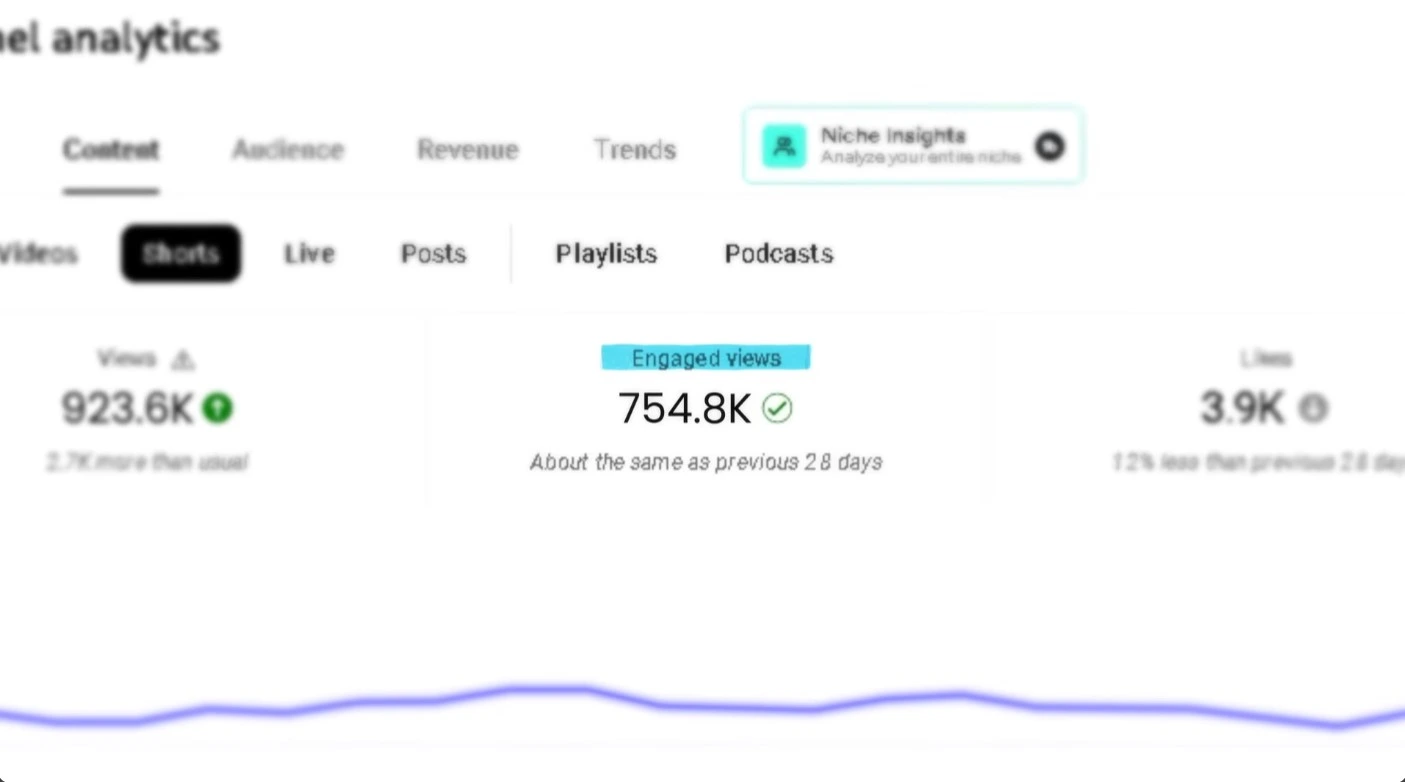
The reason this matters is straightforward: only engaged views count toward monetization. YouTube Partner Program eligibility requires 10 million engaged Shorts views in 90 days. The algorithm also uses engaged views (not total views) to decide whether to push your Short to a wider audience. In other words, total views measure reach. Engaged views measure actual performance.
💡 Pro tip: To track engaged views, go to YouTube Studio → Analytics → Advanced Mode and select "Engaged Views." Also check the "Viewed vs. Swiped Away" report, which shows what percentage of viewers stayed versus scrolled past. This single metric tells you whether your hook is working.
5 Proven Tricks to Get More Views on YouTube Shorts
The standard advice (use trending sounds, add hashtags to get views on YouTube Shorts, post with fast-paced editing) still applies. But that's baseline. Here are the tactics that separate Shorts stuck at 1,500 views from ones that break through.
1. Build the Loop Before the Hook
Looping means structuring your Short so the ending connects seamlessly back to the beginning, encouraging viewers to rewatch without realizing it. This is one of the most effective ways to get views on YouTube Shorts fast because every replay counts as an additional view under YouTube's updated counting system, and replays are among the strongest engagement signals the algorithm tracks.
YouTube's own documentation confirms that Shorts with higher replay rates get recommended more broadly. The practical move is counterintuitive: write your ending first, then design the opening to flow from it. For example, if your Short ends with a surprising result, open with the problem that led to it. If it ends with a reveal, start with the question that sets it up.
2. Use Shorts as a Discovery Bridge to Long-Form Content
Shorts work best as a top-of-funnel discovery tool, not as standalone content. They put your content in front of people who've never heard of you, but the real growth (subscribers, watch time, and revenue) typically comes from long-form videos.
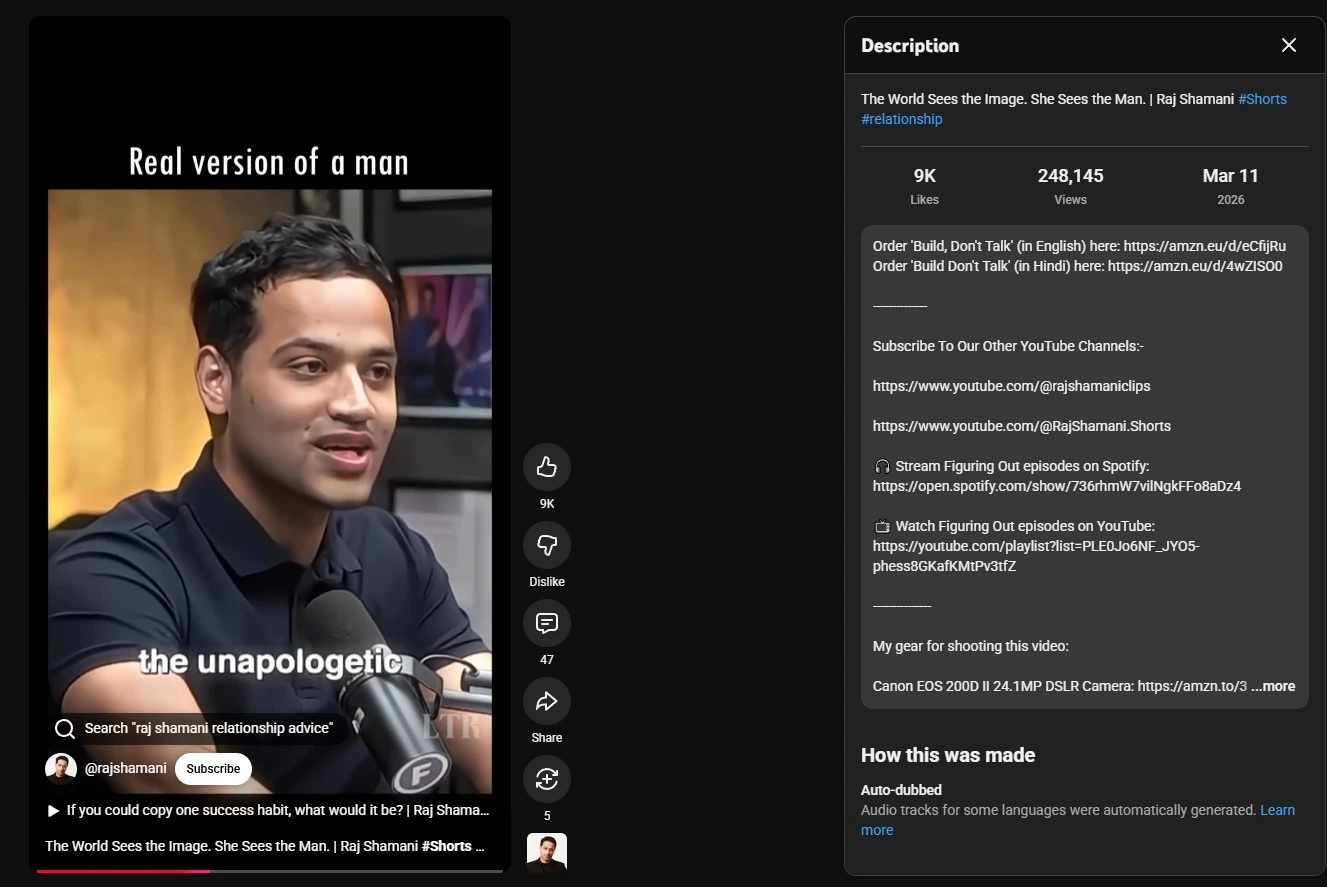
YouTube's Related Video feature in YouTube Studio lets you link each Short to a specific long-form video. This is how you convert casual scrollers into actual subscribers. See how Raj Shamani, one of the most popular podcasters from India leverages YouTube shorts to grow his channel:
3. Design Every Frame Like It's a Thumbnail
Thumbnails do increase YouTube views on Shorts, but only outside the swipe feed. In the main Shorts feed (where most views come from), thumbnails are invisible because the video autoplays full-screen. However, thumbnails appear in YouTube search results, your channel page's Shorts tab, suggested feeds, and when Shorts are shared externally on platforms like LinkedIn or embedded in blog posts.
Since YouTube auto-selects a frame from your Short for these placements, the best approach is to make every frame visually strong. That means shooting with high contrast, keeping subjects clearly visible, and adding bold on-screen text that communicates value at a glance. For example, a frame showing text like "This hack saves HOURS" works as a compelling pseudo-thumbnail even when auto-selected. For search-driven Shorts like tutorials and how-tos, also set a custom thumbnail. A clean, intentional thumbnail can give you a 10-20% click-through rate edge from search results.
4. Publish Enough Volume for the Algorithm to Learn Your Audience
Consistent publishing gives YouTube's algorithm enough data to understand your content and match it to the right viewers. An analysis of 35 billion Shorts views found that channels with 200+ published Shorts see consistent view increases over time. This isn't about spamming. It's about how YouTube's explore-and-exploit system works: it tests new Shorts with small audiences first, then scales distribution based on engagement signals.
The more Shorts you publish, the faster the algorithm identifies who your audience is. If you already have content that performed well on TikTok or Instagram Reels, repurpose it. You don't need to create everything from scratch, and cross-platform repurposing is exactly how the Reddit creator mentioned above built momentum quickly.
5. Time Your Posts to Your Specific Audience
Posting when your audience is most active gives your Shorts the strongest chance at early engagement, which is the signal that triggers broader algorithmic distribution. Generic "best time to post" advice doesn't account for your specific viewer base. Instead, go to YouTube Studio → Analytics → Audience → "When your viewers are on YouTube."
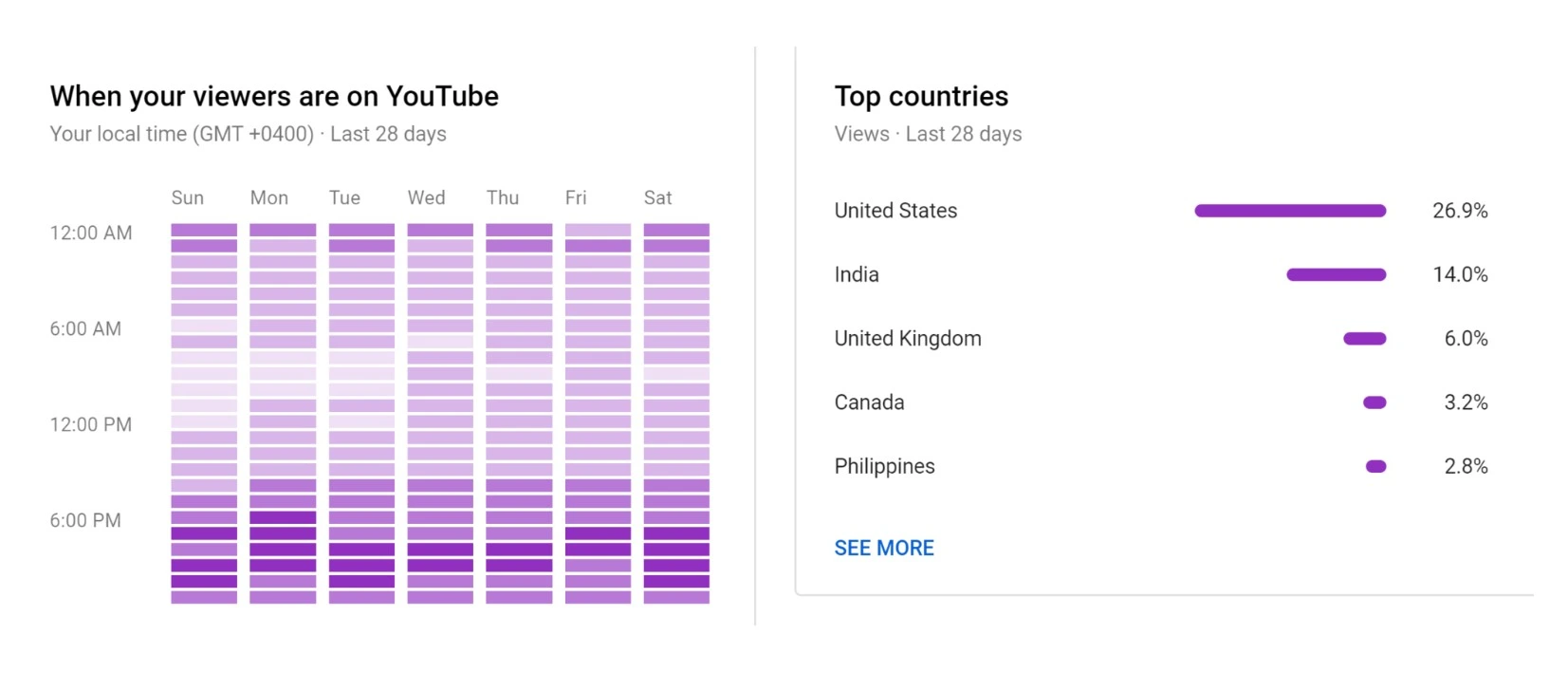
That heat map shows exactly when your viewers are online, personalized to your channel.
Early engagement matters because YouTube's algorithm evaluates a Short's performance in its first few hours. If viewers are engaging right after you publish (watching, liking, commenting), the algorithm interprets that as a strong signal to push the Short to a wider audience.
💡Pro tip: Reply to comments on your older Shorts right before publishing a new one. This spikes activity on your channel at the exact moment your new Short is being tested by the algorithm, which can boost early engagement signals and trigger broader distribution.
What to Do Next
YouTube is pushing Shorts harder than ever. Vertical live streams now appear in the Shorts feed, 3-minute Shorts have expanded the format, and the December 2025 algorithm update gives fresh uploads a 25-30% initial distribution boost. The creators who win from here aren’t the ones posting the most. They’re the ones building a system where Shorts, long-form, and community engagement feed into each other.
If you want to turn YouTube into a real growth channel but don’t have the bandwidth to build that system yourself, that’s what we do at GrowthOS. We run YouTube growth end-to-end: strategy, content, Shorts, SEO, the full stack. Book a discovery call and let’s talk about what growth looks like for your channel.

Rutvik Shirude
Co-Founder
Rutvik shirude is a Co-Founder and YouTube growth strategist at GrowthOS. He currently leads agency ops, manages client channels and strategizes YouTube growth of B2B and DTC brands. Outside of work he loves to watch cricket, F1 and do photography. You can find him on Instagram, YouTube, LinkedIn.

More insights
Get Growth Insights Delivered to Your Inbox
Join B2B marketers getting weekly strategy breakdowns on SEO, AI search, PPC, and YouTube—straight talk, no generic advice.
Oops! Something went wrong while submitting the form.




.svg)